
Types of Controls in Information Security: A Practical Guide (with Real Examples)
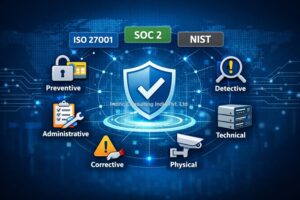 Information security controls are the “how” behind security—how you prevent incidents, detect issues early, and respond efficiently when something goes wrong. If you are implementing ISO 27001, SOC 2, NIST, or simply trying to reduce risk in a growing business, you will hear the word controls everywhere.
But many articles explain controls in a textbook way and stop there.
In real organizations, controls must survive day-to-day realities: hybrid work, SaaS sprawl, rushed procurement, shadow IT, outsourced IT support, and constant pressure to move faster. A control that looks perfect on paper but is painful to operate will be bypassed. A control that is “implemented” but not measurable will fail audits and create a false sense of security.
This blog breaks down the major types of information security controls, explains how they work in practice, shows examples you can copy, and helps you choose the right control mix without overengineering.
What Are Information Security Controls?
An information security control is a safeguard designed to reduce risk to acceptable levels. Controls can prevent security issues, detect them, correct them, or discourage them.
In practical terms, a control is any of the following:
- A process step that reduces error or misuse (e.g., approvals for new vendor access)
- A technology configuration that blocks unsafe behavior (e.g., MFA enforcement)
- A policy requirement that sets expectations (e.g., password/secret management)
- A human activity that validates something (e.g., periodic access reviews)
- A physical measure that protects assets (e.g., server room access)
A useful way to think about controls:
Controls are not documents. Controls are operational behaviors that can be demonstrated and evidenced.
That mindset helps you build security that is audit-ready and actually works.
Why Understanding Control Types Matters?
When organizations struggle with security implementations, it’s usually because they:
- Pick controls based on trends, not risk (e.g., buying tools without clarity)
- Implement only policies, not operational enforcement
- Ignore detective controls, and don’t see incidents early
- Overload users, causing workarounds and bypasses
- Fail to measure effectiveness, so controls degrade over time
If you understand the types of controls, you can build a layered security program that:
- Blocks common attacks
- Detects abnormal behavior quickly
- Responds with less chaos
- Produces evidence for audits
- Scales as your organization grows
1) Preventive Controls (Stop Issues Before They Happen)
Preventive controls reduce the likelihood of a security incident by stopping risky actions or conditions.
Where preventive controls matter most
Preventive controls are crucial for:
- Unauthorized access attempts
- Malware and phishing exposure
- Data leakage and accidental sharing
- Misconfigurations becoming breaches
Practical preventive control examples
Identity & access
- Multi-factor authentication (MFA) for email and VPN
- Conditional access policies (block sign-in from risky countries)
- Least privilege access (users get only what they need)
- Passwordless sign-in or strong password controls
Data protection
- Encryption for laptops and mobile devices
- Data Loss Prevention (DLP) rules for sensitive sharing
- Secure file sharing standards (approved tools only)
Secure configurations
- Baseline hardening for endpoints and servers
- Blocking macros from the internet
- Disabling legacy authentication protocols
Change control
- Approval process for production changes
- Infrastructure-as-code reviews and pull requests
A preventive control that blocks work will be bypassed.
For example:
- If VPN access is mandatory for everything and it slows down teams, users will copy data to personal email.
A better approach:
- Use Zero Trust / conditional access to reduce reliance on VPN and enforce identity-based security.
2) Detective Controls (Find Problems Early)
Detective controls identify events or conditions that indicate a potential security incident.
Most breaches become expensive because organizations detect them late.
Practical detective control examples
Monitoring and alerting
- Security Information and Event Management (SIEM)
- Endpoint Detection and Response (EDR) alerts
- Cloud security logs (Microsoft 365, Google Workspace, AWS)
Access review & anomaly detection
- Alerts for impossible travel logins
- Unusual privilege elevation
- New admin account creation notifications
Log review
- Weekly review of critical security logs
- Automated correlation rules (e.g., multiple failed logins)
What makes a detective control audit-ready?
A detective control must have:
- Defined events to monitor
- A clear owner (who reacts)
- Defined response timeline
- Evidence: tickets, alerts, dashboards, log extracts
If logs exist but nobody checks them, auditors will classify it as weak.
Start small:
- Monitor 10 critical alerts well.
- Expand gradually.
3) Corrective Controls (Fix and Recover)
Corrective controls reduce impact after an incident by restoring systems and closing gaps.
Corrective controls are often what separates “a security incident” from “a business shutdown.”
Practical corrective control examples
Incident response
- Playbooks for ransomware, account compromise, data leak
- Documented containment steps (disable account, isolate endpoint)
Patching & remediation
- Emergency patch process
- Vulnerability remediation tracking (owner + deadline)
Backups and recovery
- Immutable backups for critical systems
- Regular restore tests (not just backup success reports)
Backups only matter if they restore the business fast enough.
Define:
- RTO (how fast you need systems back)
- RPO (how much data loss is acceptable)
Then test.
4) Deterrent Controls (Discourage Bad Behavior)
Deterrent controls reduce incidents by discouraging violations through visibility, consequences, and oversight.
They are underrated, but powerful.
Practical deterrent control examples
- Acceptable Use Policy (clear do’s and don’ts)
- Login banners and access disclaimers
- User activity monitoring notice (legal and transparent)
- Disciplinary process for deliberate violations
If users don’t understand the rules, deterrence becomes fear-based.
Good deterrence is clear, fair, and communicated well.
5) Administrative Controls (Policies, Procedures, and Governance)
Administrative controls are management-driven controls that define expectations and guide behavior.
These are the backbone for ISO 27001, SOC 2, and most compliance frameworks.
Practical administrative control examples
- Information Security Policy and objectives
- Risk assessment and risk treatment plans
- Vendor onboarding and due diligence process
- Access management procedure (joiner–mover–leaver)
- Secure development lifecycle procedure
- Incident response plan
What makes administrative controls effective?
Administrative controls become real only when they:
- Are translated into workable steps
- Have owners and training
- Are supported by technical enforcement
- Produce records (e.g., approvals, tickets, reviews)
Many organizations reverse this:
- They create long policies and vague procedures.
Better model:
- Policies: clear direction
- SOPs: step-by-step execution
6) Technical Controls (Security Built Into Technology)
Technical controls are implemented through IT systems, tools, and configurations.
Practical technical control examples
- MFA, SSO, conditional access
- EDR/antivirus, web filtering
- Encryption at rest and in transit
- Firewall rules and network segmentation
- Email security (SPF, DKIM, DMARC)
- Vulnerability scanning and patch management tooling
- Secrets management for APIs and passwords
For example:
- “MFA enabled” is not enough.
Measure:
- % users enrolled
- % admin accounts protected
- Exceptions list and approvals
7) Physical Controls (Protect the Environment and Assets)
Even cloud-first companies still have physical risk:
- Laptops
- Office access
- Server rooms (if any)
- Document storage
Practical physical control examples
- Badge access and visitor logs
- CCTV and physical monitoring
- Secured racks / locked cabinets
- Asset tagging and inventory
- Secure disposal for hardware and paper
A lost laptop without full disk encryption is still one of the most common data exposure events.
8) Controls by Timing: Before, During, and After an Incident
Another useful classification is when a control acts.
Before (Proactive)
- Security awareness training
- Baseline hardening
- Access restrictions
During (Real-time)
- EDR quarantining
- Conditional access blocks
- Rate limiting
After (Reactive)
- Incident response
- Forensics
- Corrective actions
This view helps you build a balanced security posture rather than putting everything into “prevention.”
9) Controls by Function: People, Process, and Technology
Security is not only tools.
A mature program distributes controls across:
- People: training, role clarity, approvals, awareness
- Process: SOPs, workflows, change control
- Technology: MFA, monitoring, encryption
Example: Access control implemented correctly
- People: Managers approve access requests
- Process: Joiner–Mover–Leaver workflow in HR/IT
- Technology: SSO + role-based access, MFA enforced
When one layer is missing, controls fail.
How to Choose the Right Controls (Without Overcomplicating)
A practical way to choose controls is:
Step 1: Identify your top information assets
Examples:
- Customer data
- Financial data
- Source code
- HR and payroll information
Step 2: Identify realistic threats
Examples:
- Phishing and credential theft
- Insider misuse (accidental or malicious)
- Cloud misconfiguration
- Third-party compromise
Step 3: Prioritize based on business impact
If email compromise can trigger fraudulent payments, email controls become a top priority.
Step 4: Build a layered control set
A strong design includes:
- Preventive + detective + corrective
- Administrative + technical + physical
Step 5: Ensure controls produce evidence
If you cannot show evidence, your control is fragile.
Evidence examples:
- Access review logs
- Change approvals
- Training attendance
- Incident tickets
- Patch reports
Control Effectiveness: What Auditors and Customers Look For
Whether you’re preparing for ISO 27001 certification, a SOC 2 report, or a customer security questionnaire, reviewers typically ask:
- Is the control clearly defined?
- Is it consistently applied?
- Is it operationally feasible?
- Is it measured and reviewed?
- Is there evidence?
The biggest difference between a “paper program” and a credible security program is consistency.
Selecting controls is only the first step. Organizations also need to document, implement, monitor and evidence these controls properly. If your organization needs support in mapping risks to suitable ISO 27001 controls, Inzinc provides ISO 27001 consulting support in Bangalore for ISMS implementation, Annex A control guidance and audit readiness.
Common Mistakes Organizations Make with Controls
1) Writing policies but not enforcing them
A policy that says “use MFA” is not a control.
Enforcing MFA in Microsoft 365 is.
2) Buying tools without operational ownership
If nobody owns alert triage, SIEM becomes expensive noise.
3) Too many controls, not enough maturity
10 well-run controls beat 50 weak controls.
4) No review cycle
Controls degrade. People change roles. Access accumulates.
Include periodic:
- Access reviews
- Policy reviews
- Incident simulations
Practical Examples of Control Sets (By Scenario)
Scenario A: Small company using Microsoft 365 + laptops
Recommended control focus:
- MFA + conditional access (preventive)
- Endpoint encryption + EDR (preventive/detective)
- Backup for key data (corrective)
- Basic IR process + escalation (corrective)
- Quarterly access review for admins (detective)
Scenario B: Engineering company with customer designs and IP
Recommended control focus:
- Classification and secure sharing rules
- DLP for sensitive documents
- Strong vendor control for CAD tools and contractors
- Secure remote access and device management
Scenario C: SaaS startup preparing for SOC 2
Recommended control focus:
- Change management (PR reviews, approvals)
- Centralized logging and monitoring
- Secure SDLC and vulnerability remediation
- Strong joiner–mover–leaver process
Where a “Control Template” Helps (And Where It Doesn’t)
Many organizations download a control template to “be compliant.” Templates can help you build structure, but only if you customize them to your environment.
A good information security controls template should help you:
- Define each control clearly (objective, owner, frequency)
- Map it to a framework (ISO 27001, SOC 2, NIST)
- Track evidence and effectiveness
- Identify gaps and action plans
A weak template is just a checklist with vague text.
What adds value is the operational design behind the template—workflows, tool settings, evidence methods, and realistic schedules.
Final Thoughts: The Best Controls Are the Ones You Can Run Every Week
Security is not about having the most controls. It’s about running the right controls consistently.
If you are building your information security program, focus on:
- High-impact preventive controls (MFA, hardening, least privilege)
- Minimum viable monitoring (alerts that get acted on)
- Recovery readiness (backups + restore tests)
- Practical governance (clear policies + workable SOPs)
- Evidence and measurement (so you can prove it works)
If you do this well, you will not only improve security—you will also build trust with customers, pass audits with confidence, and reduce operational surprises.
Frequently Asked Questions (FAQ)
Are controls the same as policies?
No. Policies are management statements. Controls are operational safeguards that you can demonstrate with evidence.
What is the most important control for small businesses?
MFA and strong access management. Most real-world incidents start with stolen credentials.
How many controls do I need?
Enough to reduce your key risks. Start with 10–20 strong controls and mature them, then expand.
What control type is “security awareness training”?
It is an administrative and preventive control, and can also be deterrent.
How do I prove controls are working?
Define metrics, run reviews, keep records, and link evidence to each control.
Reach us for your Consultation and Certification requirements of ISO 27001.
Article by Sudhir GK, Founder Director, Inzinc Consulting India Pvt. Ltd.