
Workflow Automation for Faster, Clearer and More Controlled Business Processes
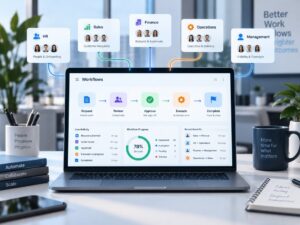 Before getting into Workflow Automation, let us understand why we need them first.
Many business processes do not fail because employees are unwilling to work.
They become slow because the process itself depends too much on people remembering what to do next. Look at the example sequence below:
- A request is sent by email.
- Someone has to notice it.
- Another person has to approve it.
- The requester follows up.
- A spreadsheet is updated.
- Someone forwards the approval to another department.
- An attachment goes missing.
- A manager asks for the latest status.
- Another employee prepares a weekly report manually from several different files.
This may be manageable when the business is small and transaction volumes are low. As the organisation grows, however, the same way of working can create delays, repeated follow-up and poor visibility.
Workflow automation provides a practical way to structure such processes.
At Inzinc Digital Solutions, we look at workflow automation from a business process perspective. The objective is not simply to replace paper or email with software. It is to help information and work move from one responsible person to another in a clear, timely and traceable manner.
What Is Workflow Automation?
Workflow automation means using a digital system to move a business activity through a defined sequence with reduced dependence on manual coordination.
A typical workflow may include:
- a request being raised;
- required information being captured;
- the request being assigned;
- a review or approval;
- an activity being completed;
- notifications being generated;
- exceptions being escalated;
- records being retained; and
- the final status becoming visible to authorised users.
The exact workflow depends on the process.
- A leave request may require only one approval.
- A purchase request may require different approvals depending on its value.
- A customer onboarding process may involve Sales, Finance, Operations and the customer.
- A maintenance request may need allocation based on equipment, location or priority.
Workflow automation allows these rules to become part of the process rather than relying entirely on individuals to remember them.
Workflow Automation Is More Than Sending Automatic Emails
It is easy to assume that automation simply means sending reminders or automatically forwarding an email.
Useful workflow automation goes considerably further.
A properly designed workflow can define:
- who can initiate a request;
- what information is required;
- which fields are mandatory;
- who receives the request;
- what approval levels apply;
- what happens when information is incomplete;
- what happens when a request is rejected;
- when an activity becomes overdue;
- when escalation is required;
- who can view confidential information;
- what supporting documents are required;
- what status should be visible;
- what information should be retained after completion; and
- what management information should be available.
The technology provides the mechanism.
The quality of the workflow depends on how well the business process has been understood.
Why Manual Workflows Become Difficult
Manual processes are not automatically bad.
An email may be perfectly adequate when a process occurs twice a month and involves only two people.
Problems usually begin when one or more of the following increases:
Transaction Volume
A person who could comfortably manage five requests a week may struggle when the volume becomes fifty.
Number of People Involved
Every additional handover creates another opportunity for delay or misunderstanding.
Number of Approval Levels
Where several approvals are required, employees may not always know who should receive the request next.
Business Growth
Processes that developed informally during the early years of a company may not scale with the organisation.
Need for Visibility
Senior management may need to know how many requests are pending, where they are pending and for how long.
Dependence on Individuals
If only one employee understands how a process works, absence or resignation can disrupt the entire activity.
Increasing Customer Expectations
Customers increasingly expect faster responses and clearer status information.
Workflow automation can help address these issues where the underlying process is sufficiently repeatable and defined.
Where Can Workflow Automation Be Used?
Workflow automation is not restricted to one department or one type of organisation.
It can be applied to many routine business processes that involve information, responsibility, decisions and handovers.
1. Enquiry and Lead Management
A new business enquiry may arrive through a website, email, telephone call, referral or another source.
Without a structured process, enquiries can remain inside common mailboxes or depend on somebody manually forwarding them to a salesperson.
A workflow can capture the enquiry and assign it based on criteria such as territory, product, service category or responsible sales executive.
The workflow may then track:
- enquiry date;
- assigned person;
- customer requirement;
- expected response date;
- follow-up;
- quotation status;
- outcome; and
- reason for loss where applicable.
Management gains visibility without asking every salesperson for an update.
2. Quotation Preparation and Approval
Quotations often involve more internal coordination than customers realise.
Sales may prepare the commercial proposal, Operations may confirm feasibility, Finance may review payment terms, and higher-value quotations may require management approval.
A workflow can route the quotation through the required sequence based on predetermined rules.
This can reduce repeated emailing of different versions and provide a clear view of where the quotation is waiting.
3. Purchase Requests
Purchase requests are one of the most practical candidates for workflow automation.
An employee can raise a request using a standard form containing information such as item, quantity, purpose, expected date and estimated cost.
The workflow can then route it according to value, category, department or another suitable criterion.
After approval, Purchase can receive the authorised request without waiting for another email.
Supporting quotations, commercial comparisons and relevant decisions can remain connected with the transaction.
The requester can see whether the requirement is pending approval, under procurement or completed.
4. Vendor Onboarding
Creating a new supplier often requires coordination between Purchase, Finance, the requesting department and sometimes other functions.
Instead of collecting information through multiple email exchanges, a workflow can capture the necessary supplier information, documents and internal approvals in a structured sequence.
It may include:
- supplier details;
- business category;
- tax and payment information;
- supporting documents;
- internal review;
- approval;
- creation in the relevant business system; and
- final confirmation.
The process becomes easier to monitor and less dependent on one individual coordinating every step.
5. Customer Onboarding
Winning an order is only the beginning.
A new customer may need to move from Sales to Operations, Finance, Support, Project Management or other teams.
Important information can be lost when this handover depends on an email containing several attachments.
A customer onboarding workflow can define what information must be available before the handover is considered complete.
It can also trigger specific activities for the responsible departments and show whether all onboarding actions have been completed before regular service begins.
6. Employee Onboarding
Employee onboarding is a good example of a cross-functional workflow.
A new employee may trigger activities involving:
- Human Resources;
- Administration;
- IT;
- the reporting manager;
- Finance; and
- other relevant functions.
HR may complete employment documentation.
IT may create an account or provide equipment.
Administration may arrange an access card.
The reporting manager may prepare the role induction.
The employee may need to acknowledge certain organisational information.
Instead of HR separately following up with each department, the joining event can initiate the relevant tasks and provide one view of completion.
7. Leave, Expense and Internal Approval Requests
Simple internal approvals are often ideal candidates for automation because the process is repetitive and the decision rules are usually understandable.
Employees can submit requests using structured forms.
The system can route them to the appropriate approving authority and maintain the decision with the request.
Where necessary, the workflow can accommodate multiple levels based on amount, department, role or another agreed rule.
8. Service Requests and Customer Support Activities
When customers or internal users raise a request, the response should not depend entirely on somebody noticing an email.
A digital workflow can capture the request, classify it, assign responsibility and track progress.
Priority, target dates and escalation can be included where useful.
The workflow can also distinguish between different request types so that each follows the correct route.
9. Complaints and Escalations
Complaints require timely attention because unresolved issues can affect the customer relationship.
A structured workflow can record the complaint, assign ownership, track actions and escalate overdue cases.
Management can see open complaints and ageing without waiting for somebody to compile a report.
The same concept can be used for internal escalations or recurring operational issues.
10. Maintenance Requests
Employees can report equipment, facility or infrastructure issues through a digital request instead of calling different people or sending informal messages.
The request can capture the location, asset, issue, urgency and supporting photograph where applicable.
It can then be allocated to the appropriate responsible person or service provider.
Progress can move through stages such as:
Raised → Assigned → In Progress → Completed → Confirmed.
Recurring issues can later be analysed using the accumulated information.
11. Document Review and Approval
Documents can become difficult to manage when reviews occur through long email chains.
A workflow can route a draft to defined reviewers, capture comments or decisions and send the final version for approval.
The purpose is not simply document storage. It is to manage the movement and decision process surrounding the document.
12. Project Actions and Internal Task Coordination
Projects frequently generate decisions and actions involving different departments.
A workflow can help convert agreed actions into assigned responsibilities with target dates, status and escalation where required.
This is especially useful for repeatable project processes such as project initiation, handover, change requests or project closure.
13. Invoice and Payment Follow-up
Organisations frequently spend significant time tracking whether invoices have been raised, submitted, acknowledged or paid.
Depending on the organisation’s systems and commercial process, a workflow can help coordinate internal invoice preparation, submission information, due dates and follow-up responsibility.
It should not replace the accounting system. Its purpose is to improve the surrounding coordination where gaps currently exist.
What Does a Good Automated Workflow Contain?
Different workflows need different features. However, several building blocks commonly improve usability and control.
Clear Ownership
At every important stage, somebody should know that the activity belongs to them.
A workflow should reduce ambiguity rather than create another common queue that nobody owns.
Required Information
Users should provide the information necessary for the next person to act.
Mandatory fields, selection lists and validation rules can reduce incomplete requests.
Defined Decision Points
Approvals should have a purpose.
The workflow should clearly identify who decides what and under which circumstances.
Appropriate Notifications
Users should be informed when they need to act.
At the same time, too many notifications can become counterproductive.
A good workflow sends meaningful notifications rather than generating messages for every minor event.
Escalation
Where an activity has remained pending beyond an agreed period, escalation can help prevent it from disappearing unnoticed.
Not every overdue activity needs to reach senior management immediately. Escalation levels should reflect the importance of the process.
Status Visibility
Users should be able to understand where their request stands without repeatedly contacting another person.
Managers should have a broader view appropriate to their responsibilities.
Records
The workflow should maintain relevant information about what happened, when it happened and what decision was taken.
Exception Handling
Real business processes are rarely perfect straight lines.
A quotation may require rework.
A purchase may be rejected.
A customer may not submit all required information.
A responsible employee may be absent.
Good workflow design considers such exceptions instead of designing only for the ideal situation.
The Inzinc Approach: Improve Before You Automate
At Inzinc Digital Solutions, we believe one principle is particularly important:
Do not automate unnecessary work.
Imagine that a request currently requires six approvals.
It is possible to create a digital workflow that sends the request through all six approvals very efficiently.
But the more important question is whether six approvals are necessary in the first place.
Perhaps low-value transactions require only one approval while high-value transactions require three.
In that case, redesigning the approval logic creates more value than merely digitising the existing process.
Workflow automation should therefore normally involve two questions:
How does the process work today?
and
How should the process work tomorrow?
The second question is often where the real improvement begins.
How We Approach a Workflow Automation Requirement
Step 1 – Understand the Problem
We begin with the business issue rather than a software demonstration.
Is the problem delayed approval?
Missed requests?
Poor visibility?
Repeated data entry?
Difficulty coordinating departments?
Too much management follow-up?
A clear problem statement helps prevent unnecessary development.
Step 2 – Map the Current Workflow
We understand the essential sequence of activities, people involved, information required and existing systems.
This does not mean producing unnecessarily complicated process documentation.
The level of mapping should be sufficient to understand how the process actually operates.
Step 3 – Identify Waste and Bottlenecks
We look for issues such as:
- duplicate information;
- avoidable handovers;
- unnecessary approvals;
- repeated data entry;
- unclear responsibility;
- manual consolidation;
- excessive follow-up; and
- activities that add little practical value.
Step 4 – Design the Improved Workflow
The future process is then defined.
This includes initiation, roles, information fields, routing rules, approvals, notifications, exceptions, completion criteria and management visibility.
Step 5 – Determine the Technology Approach
The appropriate solution depends on the requirement.
It may involve configuration of a suitable workflow platform, integration with existing technology or development of a focused solution.
The organisation should not be forced into unnecessary complexity.
Step 6 – Build or Configure the Workflow
The agreed process is translated into the selected digital solution.
Particular attention is given to how users will actually interact with the workflow.
Step 7 – Test Real Scenarios
Testing should cover more than the normal successful path.
We should also consider practical scenarios such as:
- rejection;
- missing information;
- incorrect submission;
- change of responsible person;
- overdue activity;
- resubmission; and
- exceptional approval.
Step 8 – Pilot Where Appropriate
For an important workflow, a limited pilot can help identify practical usability issues before wider deployment.
Step 9 – Implement
Users should understand what has changed, why it has changed and what they are expected to do.
A technically good workflow can fail if the operational change is poorly introduced.
Step 10 – Review After Actual Use
Some improvements become visible only after users begin working with the solution.
The workflow should therefore be reviewed after sufficient operating experience rather than assuming that the first configuration will remain perfect forever.
When Should You Consider Workflow Automation?
A process is a particularly good candidate when several of these conditions exist:
- it occurs regularly;
- it follows reasonably consistent steps;
- several people or departments are involved;
- information is currently collected through email or spreadsheets;
- approvals are required;
- employees spend considerable time following up;
- requests sometimes get missed;
- management frequently asks for status;
- transaction volumes are increasing;
- delays affect customers or operations;
- the organisation needs better accountability; or
- recurring reports are prepared manually.
The presence of these characteristics does not automatically mean automation is required, but it is a useful reason to examine the process.
When Should You Not Automate?
Knowing what not to automate is equally valuable.
Very Low-volume Activities
If a process occurs three times a year, building a dedicated system may cost more effort than it saves.
Highly Unstructured Work
Some activities depend largely on professional judgement and cannot sensibly be forced into a rigid sequence.
Constantly Changing Processes
If the organisation has not yet decided how a process should work, digitising it too early may create repeated reconfiguration.
Broken Processes
If responsibilities are unclear and the process has fundamental problems, automation should wait until the process itself has been redesigned.
Activities Already Handled Effectively
Technology should solve a problem. It is not necessary to replace a simple system merely because something more sophisticated exists.
Workflow Automation and Existing Software
Introducing workflow automation does not necessarily mean replacing the organisation’s ERP, CRM, accounting system, HR system or other established applications.
Often the requirement exists between systems.
For example, the accounting system may handle a supplier perfectly well once the supplier has been created.
The actual difficulty may be everything that happens before creation: obtaining supplier information, collecting documents, checking details, securing approval and communicating completion.
A workflow can potentially manage this surrounding process while the primary business system continues to perform its intended function.
Where integration is technically appropriate, data may also move between systems using available interfaces or APIs.
The feasibility of integration should be assessed for the actual applications involved rather than assumed in advance.
Workflow Automation and Information Security
Convenience should not mean uncontrolled access to business information.
A workflow may contain employee information, commercial details, quotations, contracts, financial approvals, customer information or other internal data.
The design should therefore consider practical matters such as:
- who can see the information;
- who can change it;
- how users are authenticated;
- what happens when responsibilities change;
- how information is retained;
- whether unnecessary personal data is being collected;
- what supporting documents are uploaded;
- how backups are handled; and
- what external technology providers are involved.
The appropriate level of control depends on the nature and sensitivity of the process.
Security is more effective when considered during design rather than added after implementation.
Does Every Workflow Need Artificial Intelligence?
No.
This distinction is important.
A straightforward approval workflow may need rules, not AI.
If every purchase below a certain value goes to one approving authority and every purchase above that value goes to another, conventional logic may be more predictable and appropriate.
AI becomes useful when the process involves activities such as interpreting unstructured information, extracting content, summarising large amounts of information or assisting a user with a task where traditional rules are insufficient.
Possible applications may include:
- summarising a lengthy request before review;
- categorising incoming enquiries;
- extracting selected information from documents;
- suggesting draft responses;
- assisting users to find relevant information; or
- identifying patterns that warrant human attention.
Even in such situations, the role of AI should be deliberately defined.
Important business decisions may still require human review.
At Inzinc Digital Solutions, the objective is not to turn every workflow into an “AI workflow”. The objective is to use the appropriate technology for the problem.
What Business Benefits Can Workflow Automation Deliver?
Actual results depend on the process, implementation and user adoption. However, well-designed workflow automation can contribute to several practical improvements.
Reduced Follow-up
People spend less time asking whether somebody has seen an email or completed an activity.
Faster Movement of Work
Requests can move directly to the correct person once the preceding activity is completed.
Better Accountability
Responsibility becomes clearer because work is assigned rather than informally circulated.
Improved Visibility
Users and managers can see relevant status information without manually compiling updates.
More Consistent Processes
The same type of transaction can follow the same agreed process instead of depending on individual working styles.
Better Information Quality
Structured fields and validation can help reduce incomplete or inconsistent submissions.
Easier Growth
As transaction volume increases, the process becomes less dependent on individual memory.
Useful Operational Data
Once processes are digital, information such as turnaround time, pending activities and bottlenecks can become easier to analyse.
The purpose should always be measurable operating improvement rather than automation for its own sake.
Frequently Asked Questions
Is workflow automation only suitable for large organisations?
No.
Small and medium enterprises can benefit significantly because growth often exposes weaknesses in informal ways of working.
The important factor is whether the process justifies automation, not the size of the organisation.
Do we need to replace our present software?
Not necessarily.
A workflow may work alongside existing business applications. The requirement should be assessed before deciding whether integration, configuration or replacement is appropriate.
Can we start with only one workflow?
Yes.
In fact, starting with one meaningful process is often sensible.
A successful initial workflow allows the organisation to understand the benefits, user response and practical implementation effort before expanding further.
How do we decide which process to automate first?
Look for a process that occurs regularly, involves several handovers, causes visible delays and consumes repeated follow-up effort.
It should also be sufficiently stable for the organisation to define how it is expected to work.
Can workflows be changed later?
Most practical workflow solutions should allow changes, although the ease and cost of modification depends on the technology selected and the nature of the change.
Processes should therefore be reviewed periodically as the organisation evolves.
Do workflows have to follow ISO requirements?
No.
Workflow automation is a general business improvement solution.
It can be used for Sales, Purchase, HR, Finance coordination, Customer Service, Administration, Projects, Maintenance and many other operational processes regardless of whether the organisation is implementing any ISO management system.
Where an organisation separately has compliance or management system requirements, those requirements can of course be considered as part of the process design.
Can workflow automation work for manufacturing companies?
Yes.
Although manufacturing organisations often have established ERP or production systems, many supporting activities remain dependent on email, spreadsheets and manual coordination.
Examples include maintenance requests, engineering changes, purchase requests, supplier onboarding, administrative approvals and internal service requests.
Can workflows be used by service companies?
Yes.
Service businesses are often particularly dependent on information movement and coordination.
Customer onboarding, service requests, project handovers, complaints, approvals, quotations and internal actions are common examples.
How much does workflow automation cost?
There is no meaningful single price because the requirement may range from a simple approval workflow to a multi-department process involving integrations and custom development.
Cost normally depends on factors such as:
- complexity of the process;
- number of workflows;
- number of users;
- approval logic;
- integration requirements;
- reporting requirements;
- software licensing;
- custom development; and
- ongoing support.
The sensible starting point is to understand the process before determining the solution and commercial model.
Start with the Process That Frustrates You Most
Most organisations already know where some of their operational friction exists.
It may be the approval that always requires three reminders.
The spreadsheet that only one person understands.
The customer onboarding activity that involves five departments.
The purchase request whose status nobody can easily see.
The enquiry that sometimes remains unanswered.
The weekly report that takes half a day to prepare.
These are useful starting points.
You do not necessarily need a major digital transformation programme.
Start with one business process.
Understand why it is difficult.
Remove what does not add value.
Then determine whether workflow automation can make it simpler, faster and easier to manage.
Talk to Inzinc Digital Solutions
If your organisation has a repetitive business process that depends heavily on emails, spreadsheets, manual follow-ups or repeated coordination, Inzinc Digital Solutions can help you examine the requirement.
Our starting point is not a software sale.
It is understanding what your organisation needs the process to achieve.
From there, we can determine whether workflow automation is appropriate, what the future process should look like and what type of digital solution can support it.
Inzinc Digital Solutions – Practical technology for better business operations.